I have made some changes that I’ve been living by in 2023 which help as I’ve gotten older now and I wanted to keep a rolling updated list for my future documentation purposes. These are some products and companies that I’ve stopped consuming or purchasing in life.
So I was trying to perform some basic redirect-proxying with load-balancing by having multiple nginx processes running for a given connection protocol and I was experiencing connection timeout troubles from time to time. Even when I tried playing with the different combinations of the proxy and connect timeout values (short-short, short-long, long-short, long-long, etc) it would still happen over time. I decided to switch up my solution here by having multiple single process nginx instances running on a different local host IP address instead to avoid port conflicts. My new setup is as follows:
Multi-Localhost Addresses
ifconfig lo0 127.0.0.2 netmask 255.0.0.0 alias
ifconfig lo0 127.0.0.3 netmask 255.0.0.0 alias
ifconfig lo0 127.0.0.4 netmask 255.0.0.0 alias
PF Load-balancing
# vpn
rdr on en0 inet proto udp from any to any port = 500 -> { 127.0.0.1, 127.0.0.2, 127.0.0.3, 127.0.0.4 } port 3121 round-robin
rdr on en0 inet proto udp from any to any port = 4500 -> { 127.0.0.1, 127.0.0.2, 127.0.0.3, 127.0.0.4 } port 3121 round-robin

# udp
rdr on en0 inet proto udp from any to any port 1:5352 -> { 127.0.0.1, 127.0.0.2, 127.0.0.3, 127.0.0.4 } port 3125 round-robin
rdr on en0 inet proto udp from any to any port 5354:65535 -> { 127.0.0.1, 127.0.0.2, 127.0.0.3, 127.0.0.4 } port 3125 round-robin

# tcp
rdr on en0 inet proto tcp from any to any port 1:21 -> { 127.0.0.1, 127.0.0.2, 127.0.0.3, 127.0.0.4 } port 3129 round-robin
rdr on en0 inet proto tcp from any to any port 23:65535 -> { 127.0.0.1, 127.0.0.2, 127.0.0.3, 127.0.0.4 } port 3129 round-robin
So it’s been a busy year this year and I haven’t gotten a chance to post much on the good old blog here but I wanted create something that provided me with more dynamically updating information in my bash shell. It’s just a demo and work in progress but it launches 2 bash shell processes (one for the updated PS1 information and the other for the interactive login). It tries to detect your default PS1 format based on a simple regex which can be changed and modified based on your formatting and needs. You’ll also need to write a shell script to place inside the PS1 prompt which gathers the dynamic info you are interested in for your own shell. This can allow you to automatically update and display all sorts of information without needing to type anything out! For example: hostname, LAN/WAN IP, WiFi channel/speed, date/time, weather information, etc. Small demo video below!
Update: So I’ve tried to incorporate the code from the blog site above into a newer version of this hacky-dynamic-interactive-bash-shell python script, now placed in a dedicated repository: https://github.com/stoops/dash/
So back in the day I was trying to bridge two layer-2 networks over a wireless relay and I was using a TP-Link Archer C7V5 for the two routers. I initially tried out relayd however I found that it wasn’t doing a good job at managing the ARP/route table entries as they were getting out of sync and not being updated and refreshed properly. I tried modding the framework but eventually gave up and wrote my own solution in C because these router units had very limited RAM and CPU available. The original framework was called ARP-Relay-Bridge (arprb) and it did a lot of work to manage the ARP table, PING the clients, listen for ARP Requests, send Proxied Replies, manage the routing table and I also even had DHCP relay capability as well.
Now, I have replaced all my TP-Link units with the Linksys E8450 which have a bit more power to them so I tried to re-write a simpler solution to this layer-2 bridging problem in Python. This solution simply just sends out the current list of active ARP table entries to another router and when it receives the entries of another router, it adds an entry to the route table to properly redirect the traffic. This simple solution solves the LAN-to-WAN issue and with the help of OpenWRTs Linux based proxy_arp functionality, the LAN-to-LAN issue can also be solved as an extension since the routers know where to route the packets. Basic instructions in the readme!
For my home network setup, I have a Mac Mini that is connecting to a Linux server with OpenVPN (backup) & WireGuard (primary) to tunnel traffic for the entire network. Due to some lower MTU issues with WG, I have also setup nginx to act as a socks-like transparent proxy which handles the connections on behalf of the client (so that the server side can keep the LAN MTU matching with the client side as well as forcing a defragmentation of the packets before they enter the VPN tunnel). It then opens a matching proxy connection to the requested destination with a lower TUN MTU & TCP MSS set so the packets can be properly segmented and transmitted. It’s been working great so far but I was wondering about the performance and speed of this solution (I had only been redirecting TCP port 443 to nginx and little did I know that the speedtest.net service uses port 8080 behind the scenes so I had to adjust my firewall rules to be more generic and forward almost all TCP & UDP ports now). After improving all of that, the speed tests were all fast and quick along with a little more sysctl tuning!
Anyway, I decided to write a C-based solution (backup) that could theoretically handle both of these services and functions at the same time. It doesn’t have solid crypto as of yet since it was mostly an experiment so far but you could easily swap in a real stream cipher (or possibly block) if you want to. It is multi-process and multi-threaded app with some basic operating instructions in the readme.
It’s called proxytun – no exciting screenshots or anything – just code, like the old days! 🙂
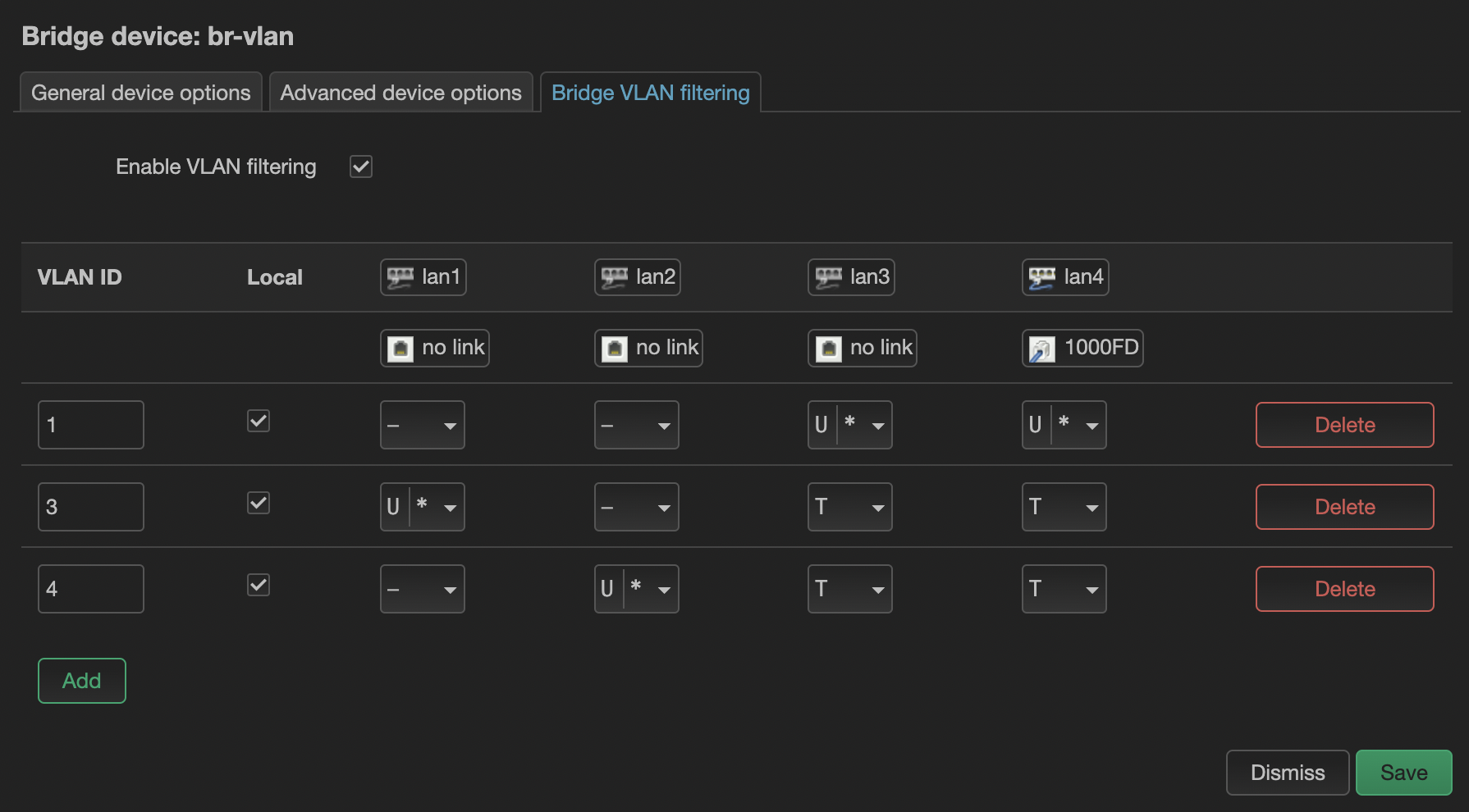
Over the years I got used to the simple Switch configuration tab in the OpenWRT web interface to be able to configure which ports are tagged/untagged on which VLANs which I could then bridge later to specific interfaces. This page has since been removed for a more flexible/powerful subsystem that OpenWRT is implementing called DSA. I’m still new to this, however, I had to recently configure a similar interface-to-vlan layout in this new section. It is now listed under the interface bridge configuration page but it has the similar table layout with the same set of options. For example, two LAN switch ports on separated VLAN access ports (untagged) and two LAN switch ports as VLAN trunk ports (tagged) both of which are carrying the other two separated VLAN network traffic.
Found this little device on Amazon called Switchbot and it is currently helping me to get into the garage without having to program anything extra or buy more openers or what not!
So I’ve been tracking the iPhone 15 rumors and I think the best looking renders so far are the ones that keep the antenna bands as a straightened-flattened ribbon wrapping around the phone with the back glass being curved itself at the edges. It will then look like the two different pieces have come together to make up the overall phone. This, along with the flush camera lenses, which dates back to the beautiful iPhone 4S design, would help make it look a lot more stylish as well. I will greatly miss the silencing physical dip switch if Apple decides to remove it but let’s see what they end up doing! 🙂
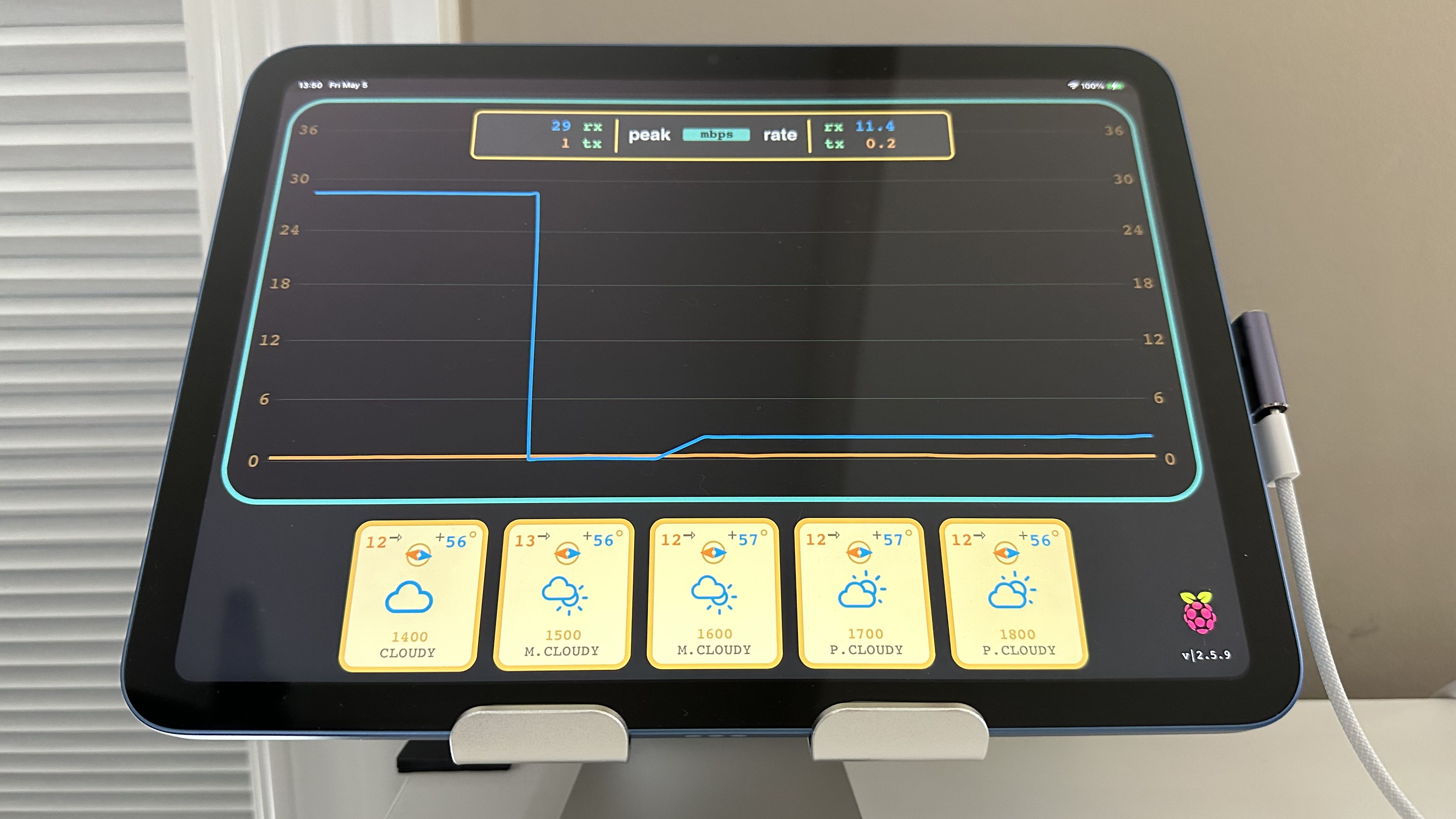
I wanted a quick and easy way to visualize and summarize the WAN traffic going through my home network so I wrote what started out as a basic Python script that acts as a simple server/javascript client to query my OpenWRT router for that information. It then uses chart.js to graph and plot the data being returned along with placing little display cards that show me the wind speed, wind direction, cloud graphic, time stamp, and weather summary for the next 5 hours 🙂
I didn’t post the source code for this one as it was more of a highly specialized project that I thought applies for my particular use case and requirements.
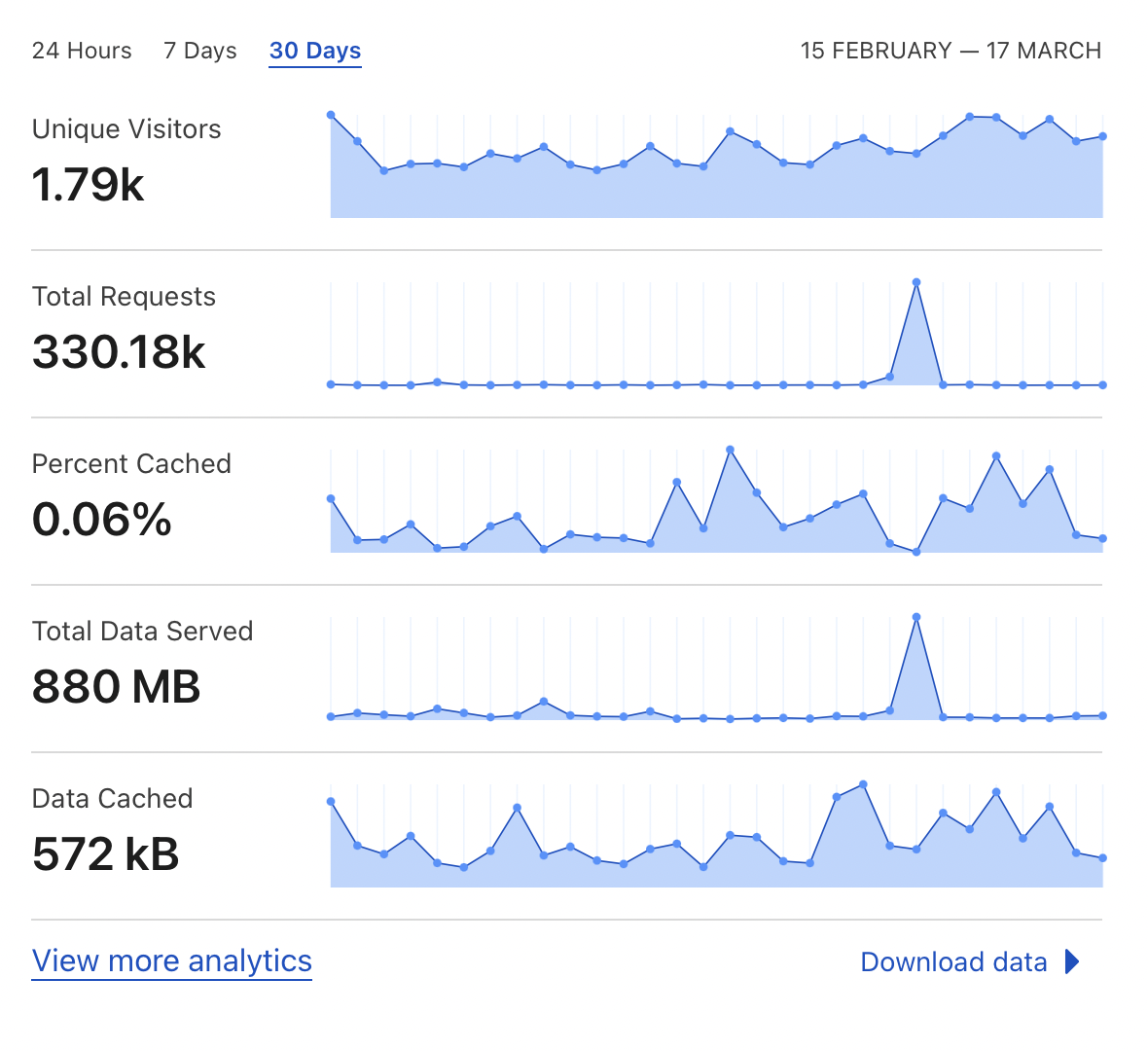
So one evening recently I got an email alert for a big spike in traffic going to this blog. I don’t know why it happened and I don’t see my post view counts getting that high either so it was a strange event. Thankfully Cloudflare’s service was able to handle the total requests being made as I don’t have much visibility on the WordPress side of things. My blog setup here is a bit simplified unfortunately!
Well, my grandpa had a saying that I remember til this day, he said “son, nothing good ever happens at 4am”. So last night, at 4:15am, 2 folks stole my license plate off my car and they could be out there committing crimes in my name!
So I usually try to save my money where possible and I don’t celebrate my birthday but I wanted get an updated gaming console so that I could continue to play Fortnite when I have some free down time. Way back in the day, my grandpa gave me an original Nintendo (which I sadly didn’t think of keeping over time) and eventually I got the Nintendo 64 when it came out as well. I then purchased the original Xbox (which had the Halo title on it) and that was one of my first Microsoft products that I enjoyed owning. After that, I switched over to the Sony side and purchased the Playstation 2 – and then the Playstation 3 – and then the Playstation 4 (so that I could keep playing the different GTA versions).
For my birthday this Jan 2023, after spending years playing with the original PS4, it was getting a little old and hot and dusty so I purchased myself a gift of the Playstation 5 (to be able to play the Fortnite battle royals). However, once I turned it on, configured it, updated it, downloaded the game and launched it – the entire system powered off. I tried it again and the same thing happened at the same spot in the game. I also tried to download a free title that came with the system and it also shut off, right before the game play starts. I recorded a long boring video of it because I couldn’t believe it!
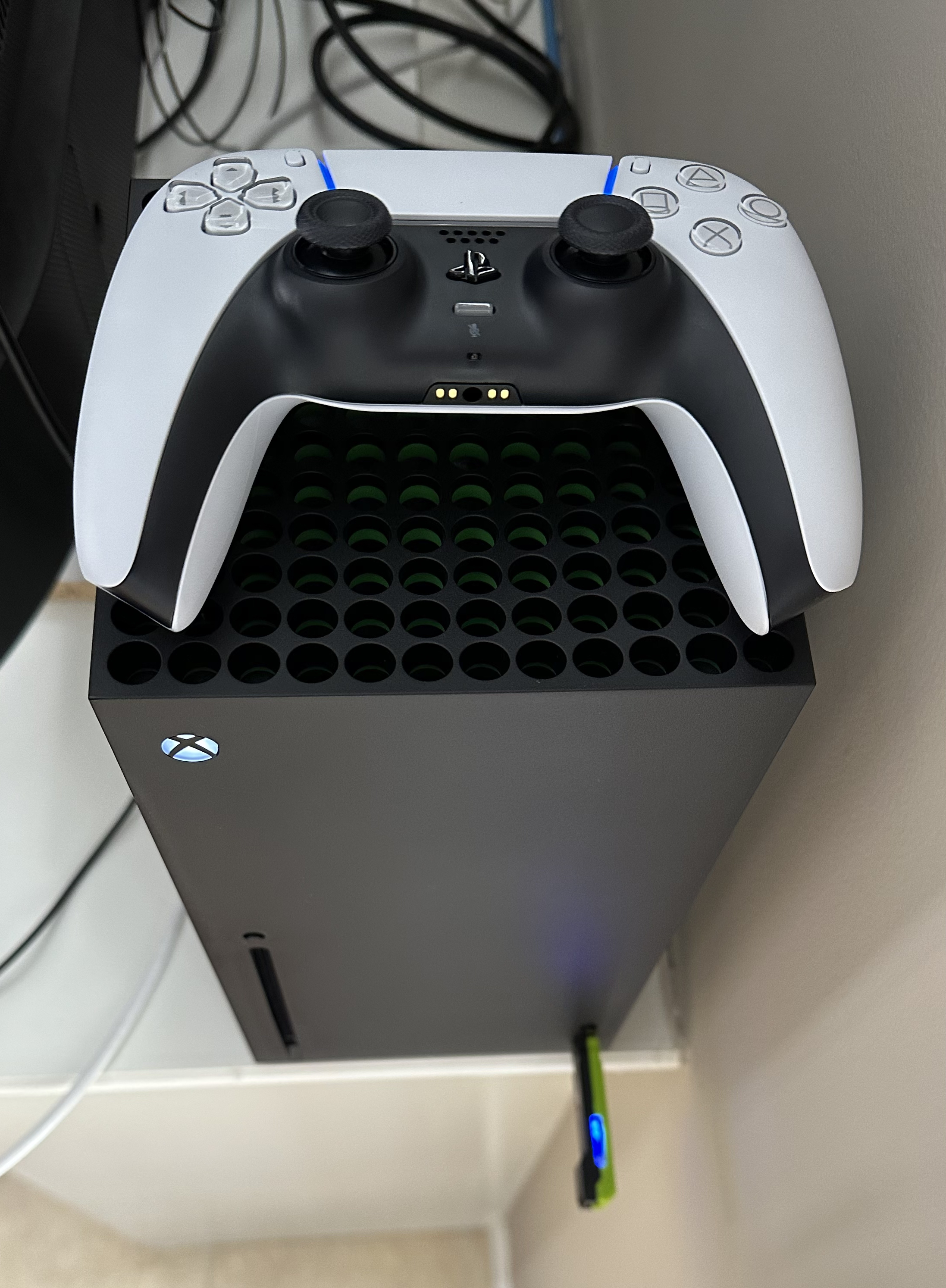
This new unit left me in such disbelief that I went back to Microsoft and purchased an Xbox Series X instead! I have to say that as a long time Playstation fan, I was pretty impressed with the build quality of this gaming console. It has a good weight to it, it’s less bulky, has proper ventilation holes near the back bottom for cool air and the main fan near the top has nice big blades which quietly moves the air upwards and outwards – it’s properly engineered and designed – it reminds me of a little chimney stack! My only improvement would be if they could just round out the corners with a small radius to make them a little more user friendly and less sharp feeling/looking 🙂
The PS5 is fairly big and bulky, the fan blades are way too small sized and it doesn’t really have proper ventilation holes or airflow direction – and according to my online searches, other people have also been facing power / heat issues with it. The only downside to the Xbox is that I highly prefer the PS5 controller over it as the bumper/trigger buttons are less bulky, the joy-sticks are symmetrically aligned, the D-Pad is in the proper location and the overall feeling/comfort is much nicer while holding it. I was even able to buy a little add-on attachment for the Xbox that allows me to still continue to use the PS5 controller which is amazing!
The ultimate gaming console setup for me in 2023 is the: Microsoft Xbox Series X ++ Sony Playstation 5 Controller
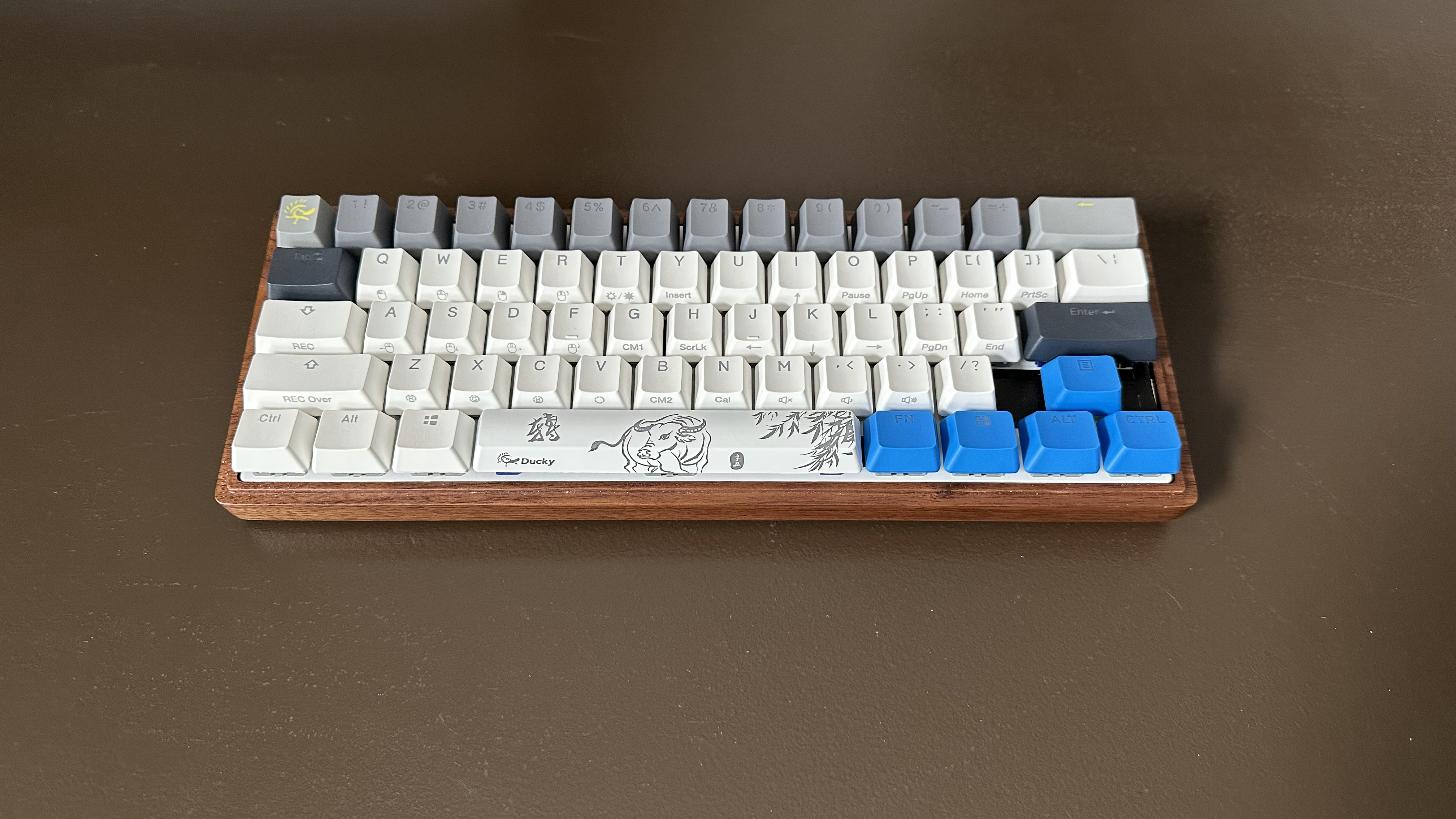
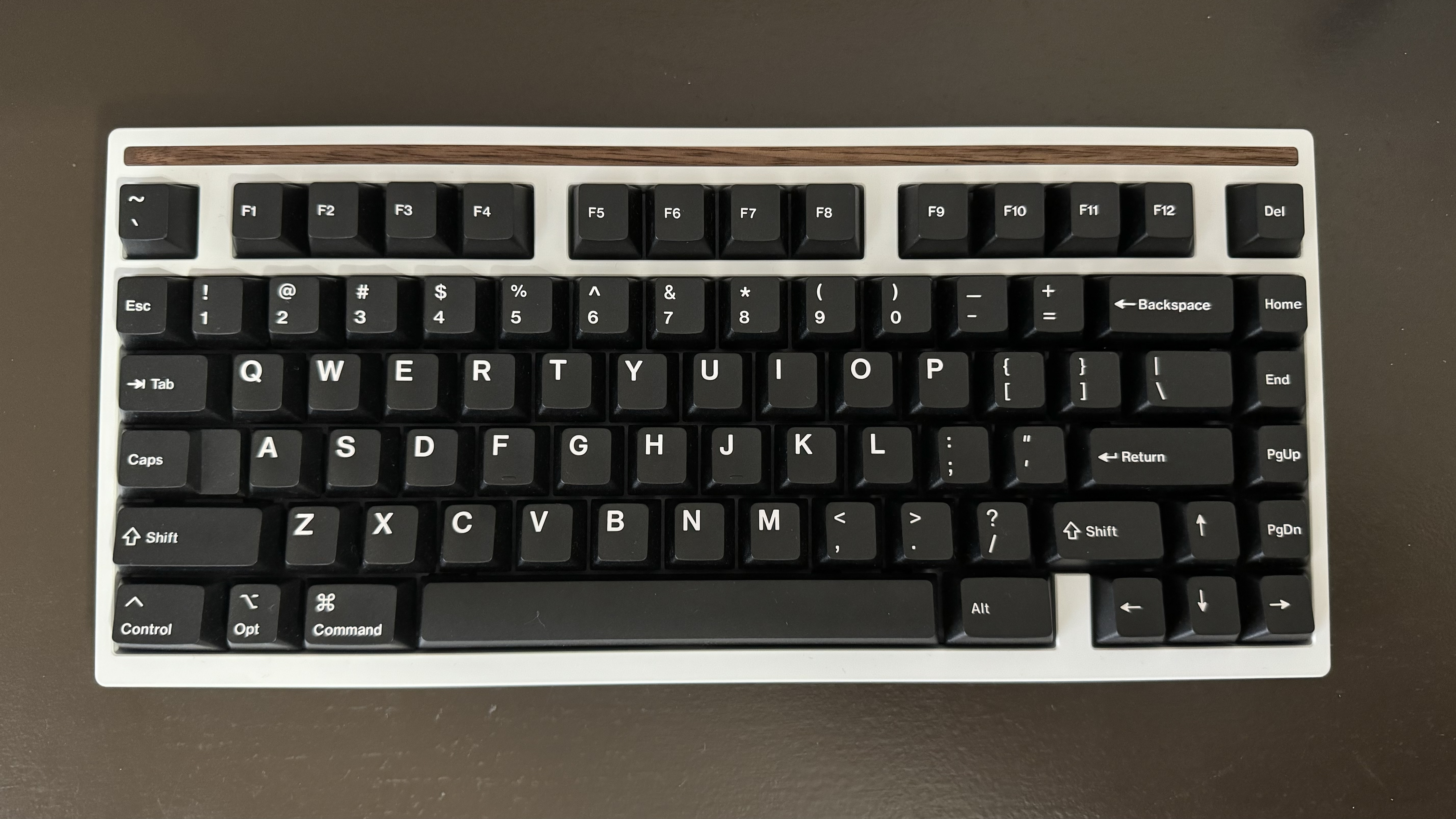
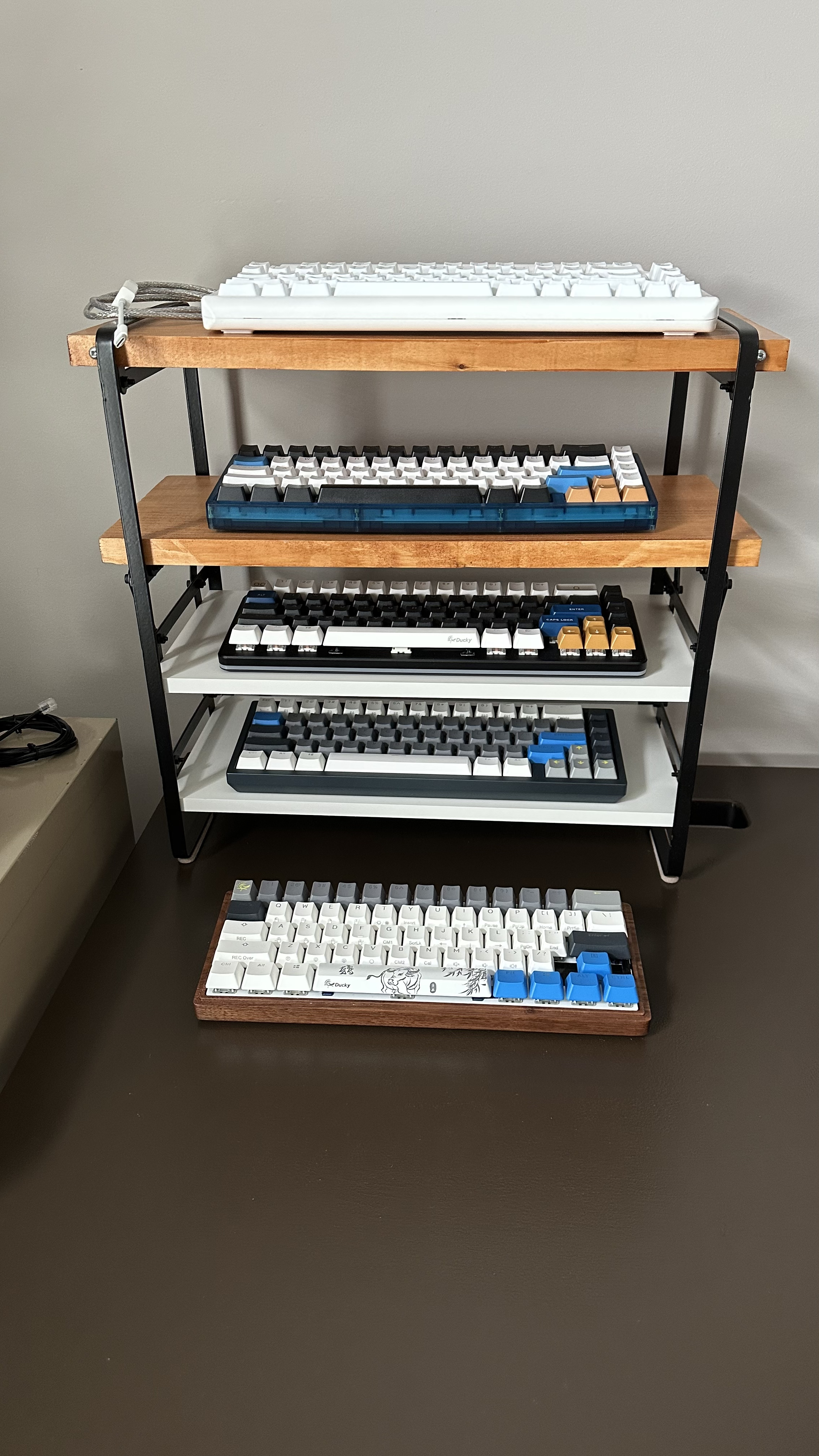
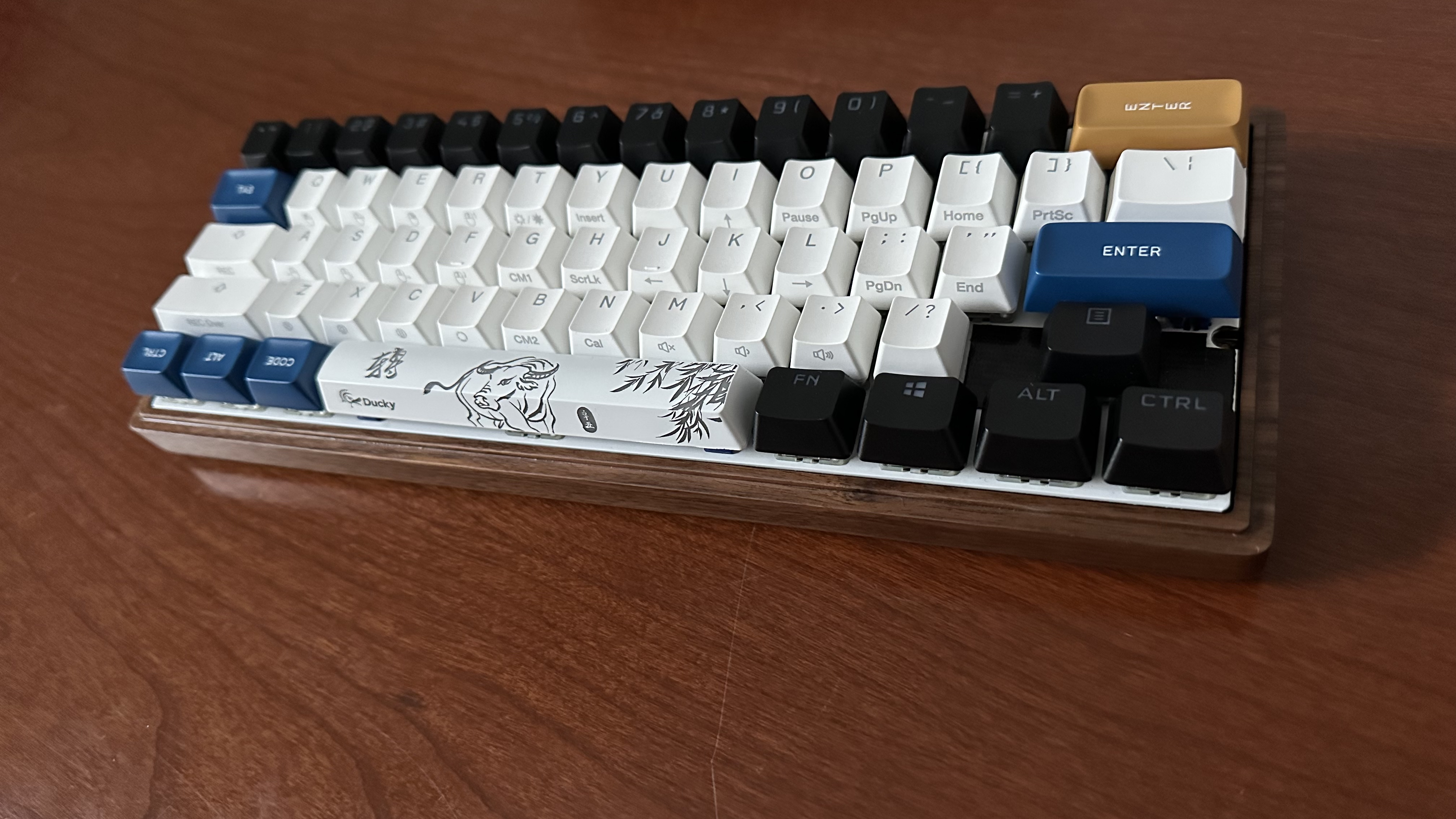
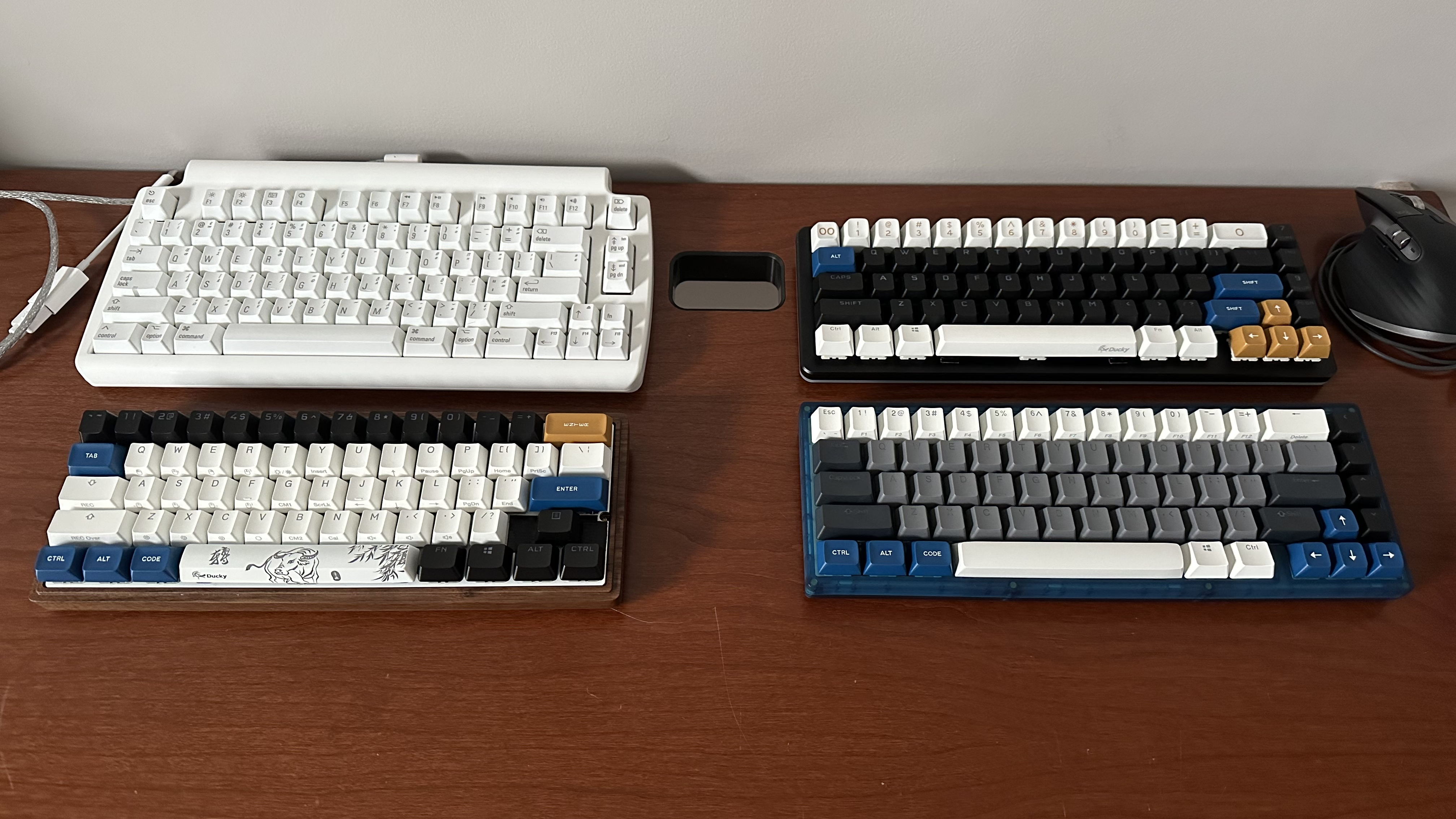
Well, this year has been a long and crazy one for me and I wanted to upgrade the style of my first mechanical keyboard. Even though it’s not my fav one to type on, it is still a memorable part of my collection and it’s a great WFH keeb. I bought a wood case which raises it up a little but it’s much more solid, better sounding and nicer styling compared to the cheaper, thinner, and hollow plastic case that comes with ducky keyboards!
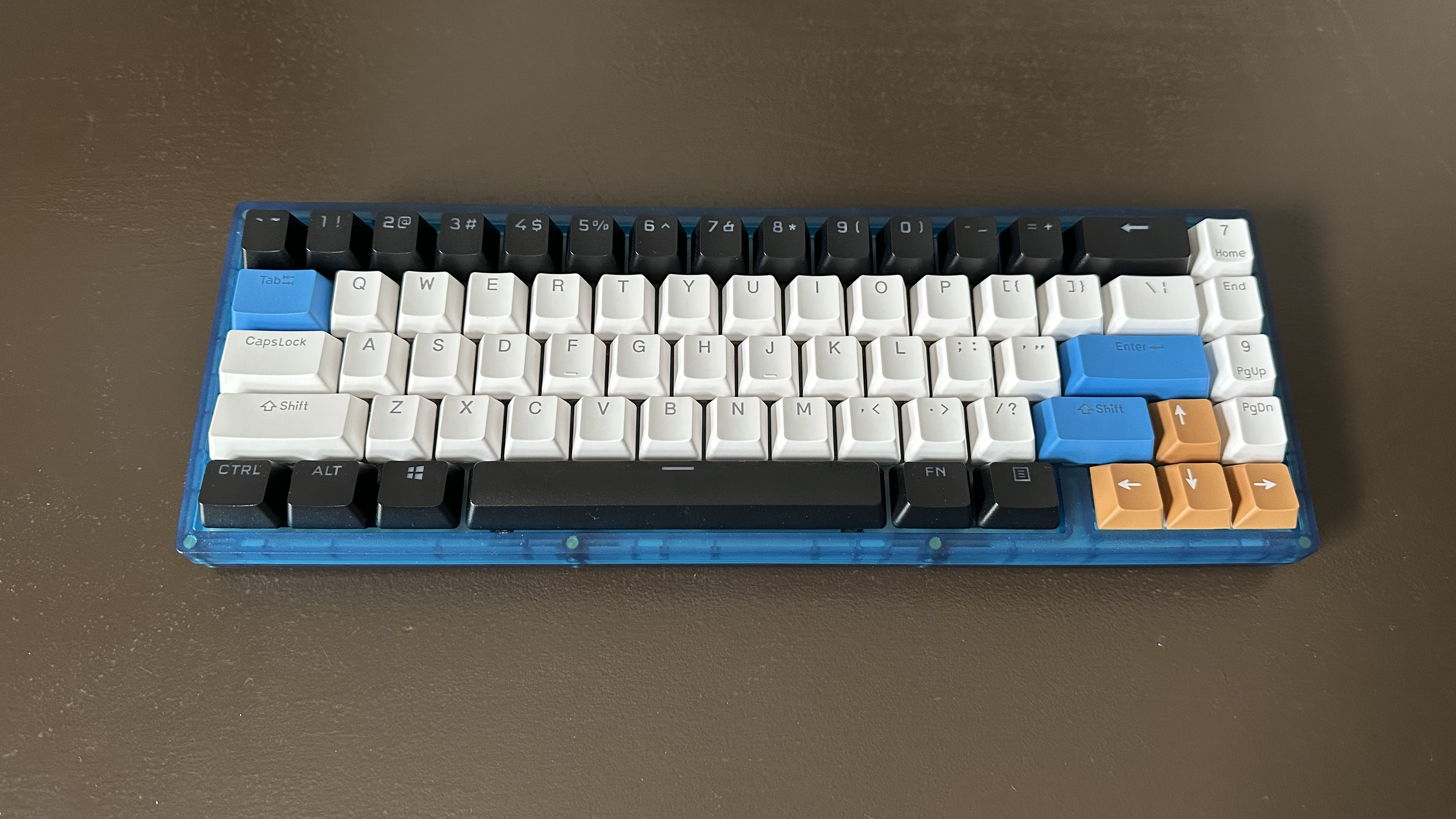
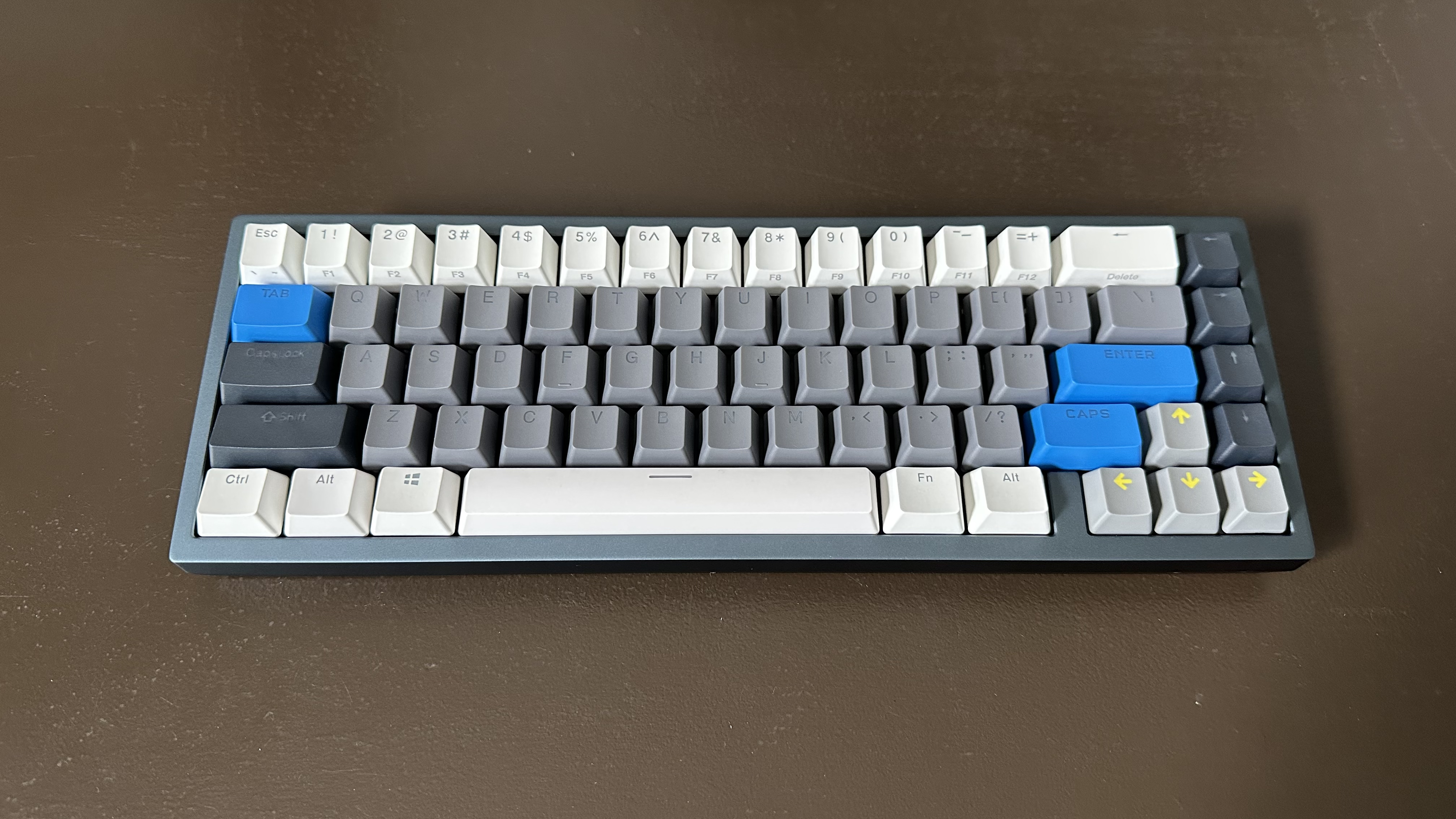
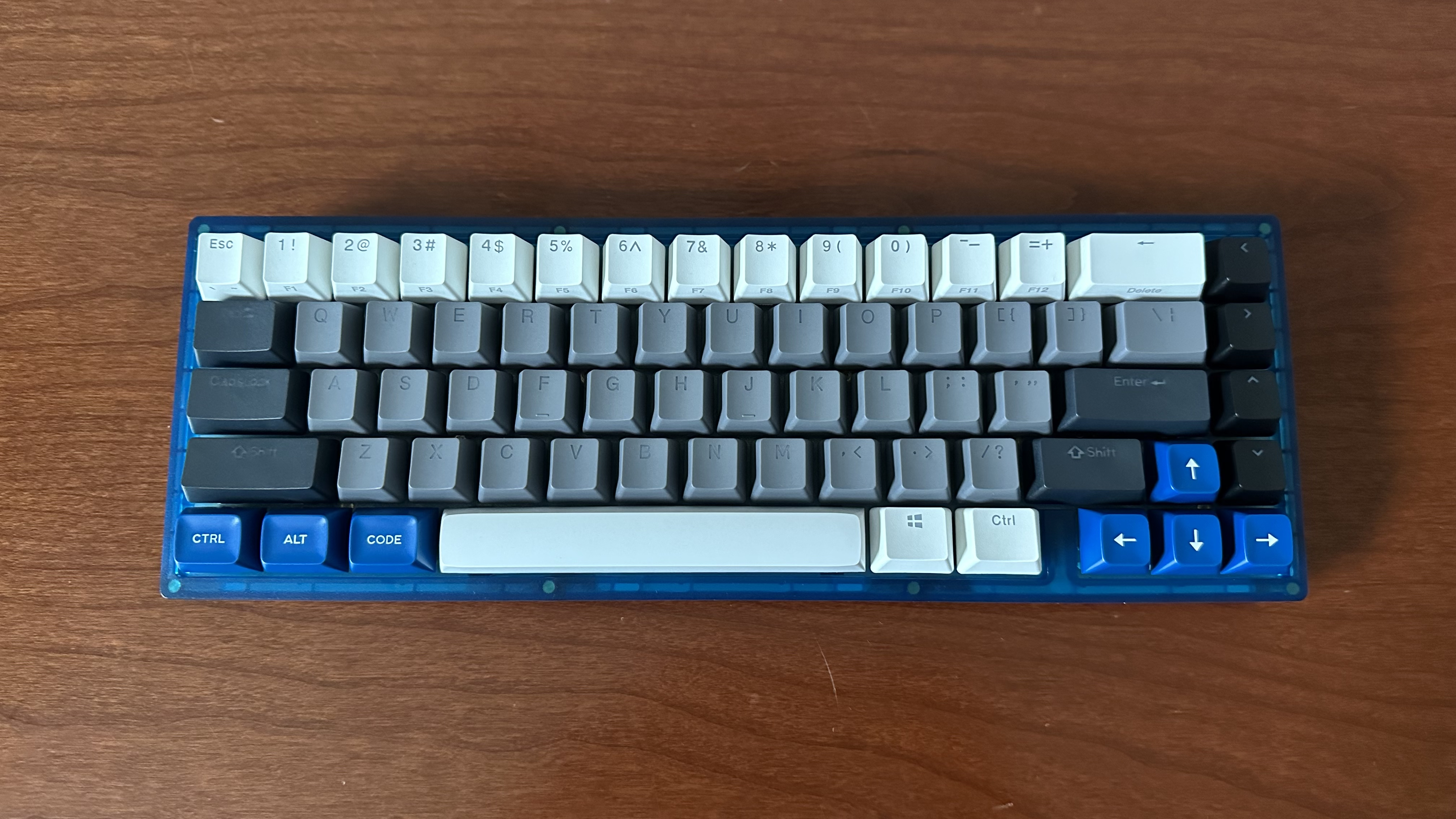
This was my first mechanical keyboard build and they have made it a pretty smooth process (took me half a day to lube the stabs). This is the KBD67 ANSI hot-swap and I put in a mixture of everything into it. It has holy panda switches for the alphas, halo true switches for all else, and ducky plus drop keycaps. It has a pretty good typing feeling, feedback, and sound to it – it’s a little lower in pitch compared to the Drop Alt’s open top metal frame (I think the plastic and padding underneath help deepen the sound). It’s a great overall keyboard to have as part of the collection! 🙂